 AI仙宝
项目介绍
MCP 服务 · 2026-11-09 更新 · 本站尚未实测
BlackVault 自述为“面向 AI Agent 的开源 API 密钥防火墙”。它要解决的问题是:当把一个模型 API Key 交给 Agent 框架或机器人时,无法只吊销某一个 Agent 的权限,除非轮换密钥,而这会同时中断所有其他使用方。
它的做法是插入一层代理:Agent 只拿到 bvt_ 开头的代理令牌,请求经 BlackVault 转发到 OpenAI、Anthropic、Google AI、Nebius 等上游服务,真实密钥保存在加密 Vault 中,按项目设计 Agent 不直接持有上游密钥,实际密钥隔离效果待验证。仓库当前未归档、未标记停止维护,README 还列出了后续规划,说明仍在演进中。
需要注意的是,BlackVault 本身是一个可部署的 Web 服务(Next.js 应用),不是可直接导入的 Agent 或工作流文件。使用它意味着你要自行部署或使用他人部署的实例。
核心能力
点击能力名称查看输入、输出和原文依据。
- 通用 AI 网关:提供 OpenAI 兼容的
/api/v1/chat/completions接口,按模型名前缀自动路由,并转换 OpenAI 与 Anthropic、Gemini 的请求/响应格式。README 中给出的前缀映射包括gpt-*/o1*/o3*→OpenAI、claude-*→Anthropic、gemini-*→Google AI、deepseek-ai/*与meta-llama/*→Nebius。 - 加密 Vault:README 称为 AES-256-GCM 加密,按用户派生密钥,静态存储为“零知识”。此表述为项目自述,未做独立审计验证。
- 代理令牌管控:可为每个令牌设置每分钟/每日请求数、美元预算上限、模型白名单、IP 白名单;超限时分别返回 429、402、403。
- 即时吊销:可吊销单个会话、单个密钥或全部;README 称通过 Redis 缓存失效在 60 秒内生效。
- 远程 MCP 服务:
/api/mcp以 Streamable HTTP 承载 JSON-RPC 2.0,暴露list_models与chat两个工具,供 Claude Desktop、Cursor、Claude Code 等 MCP 客户端使用。 - 成本与审计:按会话统计 token 数与费用估算,并记录密钥创建、会话吊销、代理请求、预算超限等事件。
实际应用场景
适用场景
- 把 OpenClaw、LangChain、CrewAI 等工具指向 BlackVault 的 base URL,用一枚代理令牌访问多家供应商,并设置预算上限避免意外高额消耗。
- 多个机器人或多个 Agent 各自持有独立令牌与限额,出问题时只吊销其中一个。
- 团队共享密钥:分发代理令牌而非真实密钥,并保留使用审计。
- CI/CD 中签发短期令牌(README 提到 1 小时过期)。
- MCP 客户端希望以受管控的方式调用模型,而不是把供应商密钥写进客户端配置。
安装与接入
仓库给出的自建流程为:克隆仓库后 npm install,复制 .env.example 为 .env.local,然后依次执行 npx drizzle-kit push 与 npm run dev,访问 http://localhost:3000。
需要配置的环境变量包括 Clerk 的发布/密钥、Postgres 的 DATABASE_URL(README 举例 Neon 或任意 Postgres)、Upstash Redis 的 REST URL 与 Token、由 openssl rand -hex 32 生成的 VAULT_MASTER_KEY,以及 NEXT_PUBLIC_APP_URL。
部署方面,README 推荐 Fork 后导入 Vercel,并在其中填写环境变量;也支持自托管,执行 npm run build 与 npm start。Redis 在自托管场景下是可选的,缺失时速率限制关闭、预算改用数据库总量计算。若要代理本地模型服务(如 Ollama、vLLM),README 给出 BLACKVAULT_UPSTREAM_OPENAI=http://localhost:11434 这一变量。
接入方式:在 Vault UI 存入上游 API Key,生成代理令牌(令牌只显示一次),再把客户端 base URL 改为 <你的部署地址>/api/v1、API Key 改为该 bvt_ 令牌。MCP 客户端则配置 url 与 Authorization: Bearer bvt_... 请求头。
安装命令
git clone https://github.com/venkat22022202/black-vault.git使用条件与限制
- 是否需要部署
- 需自行准备运行环境,具体要求见正文
- 是否需要注册
- 账号和认证要求见正文;未明确说明的项目仍待核验
- 是否需要 API Key
- 待核验
- 费用与额度
- 费用边界见正文,项目许可不代表模型或托管服务免费
- 所需权限
- 待核验
- 许可证与服务条款
- 待核验
权限费用与限制
- 项目以 MIT 许可开源,但代码开源不等于模型调用免费:使用 OpenAI、Anthropic、Google、Nebius 的模型仍须自行付费,费用以各供应商实际计价为准,README 未给出任何价格数字。
- 部署依赖第三方服务:Clerk(登录)、Neon 或自建 Postgres、Upstash Redis。这些服务自身的免费额度、定价与可用区域需向各自官方核验。
- 你部署的实例会持有账户的上游真实密钥,尽管其声称加密存储,仍属于高敏感设施,实际安全强度与合规性建议自行评估或做代码审计,不要仅凭 README 的“零知识”表述判断。
- README 明确说明代理端 CORS 允许
*,其设计理由是“令牌即认证边界”,这一点在对外暴露实例时值得注意。 - 速率限制依赖 Redis 滑动窗口;Redis 故障时可按
BLACKVAULT_REDIS_FAIL_MODE配置为放行或拒绝,此时速率限制状态不准确。 - Agent 注册表、工作流蓝图等功能在 README 中仅作为平台特性列出,是否有可下载的工作流文件、具体可用程度,待核验。
国内使用情况
网友核验 用户经验分享
与站长实测独立,不代表官方认证或本站已实测。
最近核验:暂无有效核验。参与人数按当前项目有效身份去重;不同核验项分别统计,不合并成用户总结果。仅统计审核通过且未过期的记录。
分项统计、有效期与样本量
| 核验项目 | 有效人数 | 成功 / 部分 / 失败 / 无法判断 | 成功率 | 最近核验 / 有效期 |
|---|---|---|---|---|
| 官方网站访问 | 0 | 0 / 0 / 0 / 0 | 样本不足 | 暂无 / 7 天 |
| GitHub 仓库访问 | 0 | 0 / 0 / 0 / 0 | 样本不足 | 暂无 / 7 天 |
| 安装与运行 | 0 | 0 / 0 / 0 / 0 | 样本不足 | 暂无 / 30 天 |
| 官方服务国内连接 / MCP 连接 | 0 | 0 / 0 / 0 / 0 | 样本不足 | 暂无 / 30 天 |
| 国内网络情况 | 0 | 0 / 0 / 0 / 0 | 样本不足 | 暂无 / 7 天 |
| 国内模型兼容性 | 0 | 0 / 0 / 0 / 0 | 样本不足 | 暂无 / 30 天 |
| 自定义 API | 0 | 0 / 0 / 0 / 0 | 样本不足 | 暂无 / 30 天 |
| 海外服务依赖 | 0 | 0 / 0 / 0 / 0 | 样本不足 | 暂无 / 30 天 |
| 海外账号要求 | 0 | 0 / 0 / 0 / 0 | 样本不足 | 暂无 / 30 天 |
| 中文界面 | 0 | 0 / 0 / 0 / 0 | 样本不足 | 暂无 / 30 天 |
| 客户端兼容性 | 0 | 0 / 0 / 0 / 0 | 样本不足 | 暂无 / 30 天 |
| 账号及费用信息 | 0 | 0 / 0 / 0 / 0 | 样本不足 | 暂无 / 30 天 |
成功率 = 成功 ÷(成功 + 部分成功 + 失败);无法判断不计入分母。至少 5 份可判断结果才显示成功率。账号、费用、海外依赖与语言等事实项,成功表示核查结论与资料吻合,具体观察另行统计;不表示免费或没有海外依赖。不同网络、客户端和版本的结果不能直接等同。
最近有效核验
暂无审核通过且未过期的网友核验。欢迎提交真实使用记录。
查看全部有效核验 →国内实测状态:国内可用性待核验。协议兼容和官方资料说明不等于国内网络可用。
- 官方网站访问
- 尚未实测 待核验
- GitHub 仓库访问
- 尚未实测 待核验
- 官方服务国内连接
- 尚未实测 待核验
- 国内网络情况
- 尚未实测 待核验
- 国内模型兼容性
- 尚未实测 待核验
- 自定义 API
- 尚未实测 待核验
- 海外服务依赖
- 尚未实测 待核验
- 海外账号要求
- 尚未实测 待核验
- 中文界面
- 尚未实测 待核验
- 国内最后核验时间
- 尚未实测
许可与国内使用
仓库代码采用 MIT 许可证(Copyright (c) 2025 Venkata Krishnan S),可商用与二次修改,须保留版权与许可声明。上游模型服务、Clerk、Neon、Upstash、Vercel 的条款与计费各自独立,不随本项目许可变化。
README 未说明该项目的托管服务部署地域、数据存储位置,也未说明在中国大陆网络环境下的可用性与延迟表现;官方主页为 Vercel 域名,域名本身不能推断服务部署地或合规状态。上述内容均待核验。README 中列出的模型前缀映射包含 deepseek-ai/*,通过 Nebius 路由,但项目未声明与中国大陆服务商的直连支持。
项目资料与来源
字段依据与待核验事项
access:来源确认 · git clone https://github.com/venkat22022202/black-vault.git cd black-vault npm install
project_type:来源确认 · BlackVault is also a **remote MCP server**, so any MCP client (Claude Desktop, Cursor, Claude Code, …) can get **governed** access to your vaulted AI keys.
原始 README(折叠技术参考)
<p align="center">
<img src="https://img.shields.io/github/stars/venkat22022202/black-vault?style=social" alt="GitHub stars" />
<img src="https://img.shields.io/github/forks/venkat22022202/black-vault?style=social" alt="GitHub forks" />
<img src="https://img.shields.io/badge/License-MIT-yellow.svg" alt="License: MIT" />
<img src="https://img.shields.io/badge/PRs-welcome-brightgreen.svg" alt="PRs Welcome" />
<img src="https://img.shields.io/github/issues/venkat22022202/black-vault" alt="GitHub issues" />
<img src="https://img.shields.io/badge/TypeScript-007ACC?logo=typescript&logoColor=white" alt="TypeScript" />
<img src="https://img.shields.io/badge/Next.js_16-000000?logo=next.js&logoColor=white" alt="Next.js" />
</p>
<h1 align="center">BlackVault</h1>
<p align="center">
<strong>The open-source API key firewall for AI agents.</strong><br/>
Agents never see the real key. Kill access instantly. Per-token rate limits, budgets, and model restrictions.
</p>
<p align="center">
<a href="#quick-start">Quick Start</a> •
<a href="#-universal-ai-gateway">Universal Gateway</a> •
<a href="#features">Features</a> •
<a href="#proxy-gateway-usage">Proxy Usage</a> •
<a href="#access-controls">Access Controls</a> •
<a href="#deploy">Deploy</a> •
<a href="https://github.com/venkat22022202/black-vault/issues">Issues</a> •
<a href="CONTRIBUTING.md">Contributing</a>
</p>
---
## The Problem
When you share an API key with an AI agent (OpenClaw, Moltbook bots, LangChain, CrewAI, or any agent framework), you can't revoke **just that agent's** access without rotating the key and breaking **every other agent** that uses it.
BlackVault fixes this with a proxy layer:
```
Agent → BlackVault (bvt_ token) → OpenAI / Anthropic / Google / Nebius (real key)
↑ ↑
You control this Agent never sees this
```
**One key, many proxy tokens. Kill a token = instant 401. No rotation needed.**
## Universal AI Gateway
**One endpoint. One token. Every AI provider.** BlackVault includes an OpenAI-compatible gateway at `/api/v1/chat/completions` that auto-routes to the correct provider based on the model name and translates request/response formats automatically.
```bash
# Use Claude through BlackVault (auto-translates OpenAI format → Anthropic)
curl https://your-blackvault.vercel.app/api/v1/chat/completions \
-H "Authorization: Bearer <API_KEY>" \
-H "Content-Type: application/json" \
-d '{"model": "claude-sonnet-4-5-20250929", "messages": [{"role": "user", "content": "hello"}], "max_tokens": 1024}'
# Use GPT through the same endpoint and token
curl https://your-blackvault.vercel.app/api/v1/chat/completions \
-H "Authorization: Bearer <API_KEY>" \
-H "Content-Type: application/json" \
-d '{"model": "gpt-4o", "messages": [{"role": "user", "content": "hello"}]}'
# Use Gemini through the same endpoint and token
curl https://your-blackvault.vercel.app/api/v1/chat/completions \
-H "Authorization: Bearer <API_KEY>" \
-H "Content-Type: application/json" \
-d '{"model": "gemini-2.0-flash", "messages": [{"role": "user", "content": "hello"}]}'
```
### Works with ANY OpenAI-compatible tool
**OpenClaw:**
```bash
OPENAI_BASE_URL=https://your-blackvault.vercel.app/api/v1
OPENAI_API_KEY=bvt_your_token
```
**LangChain (Python):**
```python
from langchain_openai import ChatOpenAI
llm = ChatOpenAI(
base_url="https://your-blackvault.vercel.app/api/v1",
api_key="bvt_your_token",
model="claude-sonnet-4-5-20250929" # or gpt-4o, gemini-2.0-flash, etc.
)
```
**OpenAI SDK (Python):**
```python
import openai
client = openai.OpenAI(
base_url="https://your-blackvault.vercel.app/api/v1",
api_key="bvt_your_token"
)
response = client.chat.completions.create(
model="claude-sonnet-4-5-20250929", # any model, any provider
messages=[{"role": "user", "content": "hello"}]
)
```
**OpenAI SDK (Node.js):**
```typescript
import OpenAI from "openai";
const client = new OpenAI({
baseURL: "https://your-blackvault.vercel.app/api/v1",
apiKey: "bvt_your_token",
});
const response = await client.chat.completions.create({
model: "gemini-2.0-flash", // routes to Google automatically
messages: [{ role: "user", content: "hello" }],
});
```
**Cursor / Continue / Cline:**
Set the base URL to `https://your-blackvault.vercel.app/api/v1` and API key to `bvt_your_token` in your IDE settings.
### How it works
| Model prefix | Routes to | Format translation |
|---|---|---|
| `gpt-*`, `o1*`, `o3*` | OpenAI | None (native) |
| `claude-*` | Anthropic | OpenAI ↔ Anthropic Messages API |
| `gemini-*` | Google AI | OpenAI ↔ Gemini API |
| `deepseek-ai/*`, `meta-llama/*` | Nebius | None (OpenAI-compatible) |
The gateway looks up the user's vault key for the target provider automatically. One `bvt_` token can access ALL providers the user has keys for.
## MCP Server
BlackVault is also a **remote MCP server**, so any MCP client (Claude Desktop, Cursor, Claude Code, …) can get **governed** access to your vaulted AI keys. Your MCP config holds a `bvt_` token — never a provider key — and every tool call is subject to your budget caps, rate limits, model restrictions, kill switch, and audit trail.
**Endpoint:** `https://your-blackvault.vercel.app/api/mcp` (JSON-RPC 2.0 over Streamable HTTP)
**Config (Claude Desktop / Cursor `mcp.json`):**
```json
{
"mcpServers": {
"blackvault": {
"url": "https://your-blackvault.vercel.app/api/mcp",
"headers": { "Authorization": "Bearer <API_KEY>" }
}
}
}
```
**Tools exposed:**
| Tool | What it does |
|------|--------------|
| `list_models` | Lists the models this token may use, across your vaulted provider keys. |
| `chat` | Runs a completion on any allowed model (`gpt-*`, `claude-*`, `gemini-*`, open-source via Nebius). BlackVault injects the real key, enforces budget/rate/model limits, and audits the call. |
The agent never sees a provider key, and revoking the `bvt_` token (or hitting the kill switch) blocks its next MCP call instantly. See [`docs/design/0002-mcp-credential-broker.md`](docs/design/0002-mcp-credential-broker.md) for the roadmap (generic HTTP-credential brokering and upstream-MCP proxying are next).
## Features
### Core
- **Universal AI Gateway** — One OpenAI-compatible endpoint for ALL providers. Auto-routes by model name, translates formats. Works with OpenClaw, LangChain, CrewAI, Cursor, and any OpenAI-compatible tool.
- **Encrypted Vault** — AES-256-GCM with per-user derived keys. Zero-knowledge at rest.
- **Proxy Gateway** — Forward requests to OpenAI, Anthropic, Google AI, Nebius AI with full SSE streaming.
- **Instant Kill Switch** — Revoke a session, a key, or everything. Propagates in <60s via Redis cache invalidation.
### Per-Session Access Controls
- **Rate Limiting (RPM/RPD)** — Configurable requests-per-minute and requests-per-day per proxy token. Redis sliding window.
- **Budget Caps** — Set a max $ spend per token. Agent gets `402` when exhausted. Visual progress bars in UI.
- **Model Restrictions** — Lock a token to specific models (e.g., only `gpt-4o-mini`, not `gpt-4o`). Agent gets `403` on violation.
- **IP Allowlisting** — Restrict which IPs can use a proxy token. Enforced at auth time.
- **Rate Limit Headers** — Every proxy response includes `X-RateLimit-*` and `X-BlackVault-*` headers.
### Platform
- **Per-Session Cost Tracking** — Token counts and cost estimates per session, per request.
- **Activity Audit Trail** — Every action logged: key created, session killed, proxy request, budget exceeded.
- **Agent Registry** — Discover and review AI agents. Community trust scores.
- **Workflow Blueprints** — Create, fork, and share agent workflow configurations.
## Use Cases
| Scenario | How BlackVault helps |
|----------|---------------------|
| **OpenClaw / AI assistant** | Set `OPENAI_BASE_URL` to BlackVault. One token accesses all providers. $5 budget cap so it can't burn $500 overnight. |
| **Moltbook agents** | Each bot gets its own proxy token with RPM limits. Kill a rogue agent instantly without affecting others. |
| **LangChain / CrewAI / AutoGen** | One API key in the vault, separate proxy tokens per agent with model restrictions (only gpt-4o-mini for the cheap agent, gpt-4o for the important one). |
| **Team API key sharing** | Share proxy tokens instead of the real key. Audit who used what. Revoke individuals without rotating. |
| **CI/CD pipelines** | Short-lived proxy tokens (1h expiry) for CI jobs. Auto-expire, no cleanup needed. |
## Try it in 2 minutes (no accounts needed)
An end-to-end demo runs the real app against local Postgres + Redis and a mock
LLM, and asserts every guarantee: key isolation, model allowlist, rate limits,
sequential and 20-way concurrent budget caps, streaming cost, the kill switch,
and a live Redis outage.
```bash
npm install
createdb blackvault_demo && redis-server --daemonize yes
DATABASE_URL=postgres://localhost/blackvault_demo REDIS_PORT=6379 scripts/demo/run.sh
```
```
5. Budget cap $0.0002 — 20 concurrent requests (atomic reservation)
✓ 20 parallel → 7 allowed, 13 refused with 402
8. Redis dies — bounded latency, visible degradation, recovery
✓ first request after outage: 200 in 65ms
✓ /api/health → 503 degraded (an uptime monitor would page you)
...
All checks passed.
```
## Quick Start
### 1. Clone and install
```bash
git clone https://github.com/venkat22022202/black-vault.git
cd black-vault
npm install
```
### 2. Set up environment
```bash
cp .env.example .env.local
```
Fill in `.env.local`:
| Variable | Source |
|----------|--------|
| `NEXT_PUBLIC_CLERK_PUBLISHABLE_KEY` | [Clerk](https://clerk.com) |
| `CLERK_SECRET_KEY` | [Clerk](https://clerk.com) |
| `DATABASE_URL` | [Neon](https://neon.tech), or any Postgres (`postgres://…`) |
| `UPSTASH_REDIS_REST_URL` | [Upstash](https://upstash.com) |
| `UPSTASH_REDIS_REST_TOKEN` | [Upstash](https://upstash.com) |
| `VAULT_MASTER_KEY` | `openssl rand -hex 32` |
| `NEXT_PUBLIC_APP_URL` | Your deployment URL |
### 3. Push database schema
```bash
npx drizzle-kit push
```
### 4. Run
```bash
npm run dev
```
Open [http://localhost:3000](http://localhost:3000).
## Proxy Gateway Usage
### 1. Store an API key in the vault
Add your OpenAI/Anthropic/Google API key through the Vault UI. It's encrypted with AES-256-GCM before storage.
### 2. Generate a proxy token
Click **Proxy Token** on a vault key. Configure optional access controls (rate limits, budget, model restrictions, IP allowlist). The token (`bvt_...`) is shown **once** -- copy it.
### 3. Use the proxy token
Replace the provider's base URL with your BlackVault proxy endpoint:
**OpenAI:**
```bash
curl https://your-blackvault.vercel.app/api/proxy/openai/v1/chat/completions \
-H "Authorization: Bearer <API_KEY>" \
-H "Content-Type: application/json" \
-d '{"model": "gpt-4o", "messages": [{"role": "user", "content": "hello"}]}'
```
**Anthropic:**
```bash
curl https://your-blackvault.vercel.app/api/proxy/anthropic/v1/messages \
-H "Authorization: Bearer <API_KEY>" \
-H "Content-Type: application/json" \
-d '{"model": "claude-sonnet-4-5-20250929", "max_tokens": 1024, "messages": [{"role": "user", "content": "hello"}]}'
```
**Google AI:**
```bash
curl https://your-blackvault.vercel.app/api/proxy/google/v1beta/models/gemini-2.0-flash:generateContent \
-H "Authorization: Bearer <API_KEY>" \
-H "Content-Type: application/json" \
-d '{"contents": [{"parts": [{"text": "hello"}]}]}'
```
SSE streaming works out of the box -- just set `"stream": true` as usual.
### 4. Kill access
Kill a single session or all sessions from the Vault UI. The agent gets 401 immediately.
## Access Controls
When generating a proxy token, expand **Access Controls & Rate Limits** to configure per-token restrictions:
| Control | What it does | Error code | Example |
|---------|-------------|------------|---------|
| **RPM** | Max requests per minute | `429` | 30 RPM for a chatbot |
| **RPD** | Max requests per day | `429` | 500 RPD for a batch agent |
| **Budget Cap** | Max $ spend for this token | `402` | $5.00 for a demo agent |
| **Model Restriction** | Whitelist specific models | `403` | Only `gpt-4o-mini` |
| **IP Allowlist** | Restrict to specific IPs | `403` | Only your server IP |
Every proxy response includes headers for agent-side observability:
```
X-RateLimit-Limit: 200
X-RateLimit-Remaining: 194
X-BlackVault-Session: <session-id>
X-BlackVault-Cost: 0.003200
X-BlackVault-Budget-Limit: 5.0000
X-BlackVault-Budget-Remaining: 4.9968
X-Session-RateLimit-RPM-Limit: 30
X-Session-RateLimit-RPM-Remaining: 28
X-BlackVault-Allowed-Models: gpt-4o-mini,gpt-3.5-turbo
```
## Architecture
```
src/
├── app/
│ ├── api/
│ │ ├── v1/chat/completions/ # Universal AI Gateway (OpenAI-compatible)
│ │ ├── v1/models/ # Available models endpoint
│ │ └── proxy/[provider]/[...path]/ # Direct proxy gateway
│ ├── (dashboard)/ # Dashboard pages
│ └── page.tsx # Landing page
├── server/
│ ├── db/schema.ts # Drizzle schema (Postgres)
│ ├── routers/ # tRPC routers
│ │ ├── vault.ts # Key CRUD + encryption
│ │ ├── proxy.ts # Token generation, sessions, rate limits
│ │ ├── killswitch.ts # Emergency revocation
│ │ └── cost.ts # Real-time cost queries
│ └── services/
│ ├── encryption.ts # AES-256-GCM encrypt/decrypt
│ ├── proxy-auth.ts # Token auth + IP/budget enforcement
│ ├── model-router.ts # Model → provider auto-routing
│ ├── format-translator.ts # OpenAI ↔ Anthropic/Google translation
│ ├── proxy-providers.ts # Provider configs
│ ├── proxy-pricing.ts # Token cost estimation
│ ├── ratelimit.ts # Global + per-session rate limiting
│ └── redis.ts # Upstash Redis cache
└── lib/
├── constants.ts # Provider configs, activity types
└── utils.ts # Shared utilities
```
## Tech Stack
| Layer | Technology |
|-------|------------|
| Framework | Next.js 16 + React 19 + TypeScript |
| API | tRPC 11 |
| Database | Neon Postgres + Drizzle ORM |
| Cache & Rate Limiting | Upstash Redis |
| Auth | Clerk |
| Styling | Tailwind CSS v4 + Framer Motion |
| Encryption | AES-256-GCM (Node.js crypto) |
| Charts | Recharts |
## Security
- API keys encrypted at rest with AES-256-GCM using per-user derived keys (HMAC-SHA256)
- Proxy tokens SHA-256 hashed before storage -- plaintext never persisted
- Session lookups Redis-cached (60s TTL) for fast revocation
- **Three-tier rate limiting:** global (200 RPM/user) + per-session RPM + per-session RPD via Redis sliding window
- **Budget enforcement:** session-level spend caps block at 402 when exhausted; spend is counted in integer nano-dollars, atomically, so concurrent requests can't overshoot by more than one request
- **Model restrictions:** per-session model allowlists prevent unauthorized model usage
- **IP allowlisting:** per-session IP restrictions enforced at auth time
- CORS allows `*` on proxy (tokens are the auth boundary, not origin)
- All secrets are environment variables -- never in code
- **Bounded failure:** Redis calls are capped (800 ms, 1 retry) behind a circuit breaker. If Redis dies, requests keep flowing in a declared mode (`BLACKVAULT_REDIS_FAIL_MODE=open|closed`), responses carry `X-BlackVault-Degraded: redis`, and `/api/health` returns 503. See [design 0005](docs/design/0005-reliability-and-money-math.md)
## Health
`GET /api/health` reports database + Redis status and latency (no auth, no error details).
It returns `503` when any configured dependency is down — point an uptime monitor at it.
```json
{ "status": "ok", "checks": { "database": { "status": "ok", "latencyMs": 3 },
"redis": { "status": "ok", "latencyMs": 2, "lastFailureAt": null } },
"redisFailMode": "open", "version": "a1b2c3d" }
```
## Deploy
### Vercel (recommended)
1. Fork this repo
2. Import in [Vercel](https://vercel.com)
3. Add environment variables from `.env.example`
4. Deploy
### Self-hosted
Any Postgres works (node-postgres is used for non-Neon URLs). Redis is optional;
without it, rate limits are off and budgets use the database total.
```bash
npm run build
npm start
```
To govern a local model server, point a provider at it:
`BLACKVAULT_UPSTREAM_OPENAI=http://localhost:11434` (Ollama, vLLM, …).
## Roadmap
- [x] **Universal AI Gateway** -- OpenAI-compatible endpoint, auto-routes to any provider
- [x] **Per-Session Rate Limiting** -- Configurable RPM/RPD per proxy token
- [x] **Budget Caps & Model Restrictions** -- Per-token spend limits and model whitelists
- [x] **MCP Server** -- Remote MCP server (`/api/mcp`) exposing governed `list_models` + `chat` tools to Claude Desktop, Cursor, Claude Code, etc.
- [ ] **OpenClaw Skill** -- Official skill for the OpenClaw AI assistant
- [ ] **Groq, Mistral, Together AI** -- More provider support
- [ ] **Webhook alerts** -- Notify when budget thresholds hit or rate limits trigger
- [ ] **Token scoping** -- Per-token endpoint restrictions
- [ ] **Usage analytics dashboard** -- Graphs of cost, latency, and token usage over time
- [ ] **Team workspaces** -- Shared vaults with role-based access
## Contributing
We welcome contributions! See [CONTRIBUTING.md](CONTRIBUTING.md) for guidelines.
**Good first issues:** Check the [`good first issue`](https://github.com/venkat22022202/black-vault/issues?q=is%3Aissue+is%3Aopen+label%3A%22good+first+issue%22) label.
## Contributors
<a href="https://github.com/venkat22022202/black-vault/graphs/contributors">
<img src="https://contrib.rocks/image?repo=venkat22022202/black-vault" />
</a>
## Star History
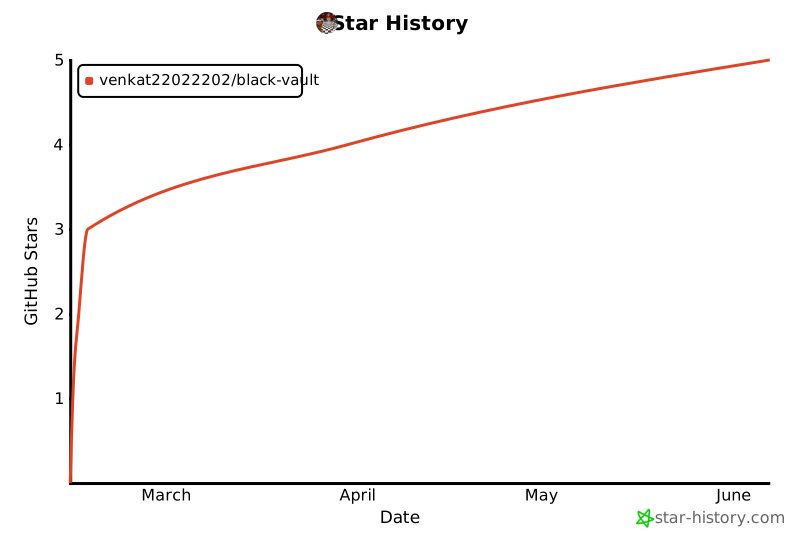
If BlackVault is useful to you, consider giving it a star. It helps others discover the project.
[](https://star-history.com/#venkat22022202/black-vault&Date)
## License
[MIT](LICENSE)
历史前置条件说明(补充参考)
Node.js 环境(版本号 README 未写明,待核验);npm;Postgres 数据库(可自建或使用 Neon);Redis(Upstash 或自建,自托管时可省略但速率限制关闭);Clerk 账户与发布/密钥;自生成 VAULT_MASTER_KEY;各上游模型供应商 API Key(OpenAI、Anthropic、Google AI、Nebius);模型调用费用按供应商实际计价,待核验;第三方服务(Clerk、Neon、Upstash、Vercel)可能有各自额度与收费,待核验
项目来源与清单版权许可
https://github.com/venkat22022202/black-vault
https://black-vault-murex.vercel.app
整理来源:https://github.com/slavakurilyak/awesome-ai-agents
清单版权与许可:
MIT License
Copyright (c) 2024 Slava Kurilyak
Permission is hereby granted, free of charge, to any person obtaining a copy of this software and associated documentation files (the "Software"), to deal in the Software without restriction, including without limitation the rights to use, copy, modify, merge, publish, distribute, sublicense, and/or sell copies of the Software, and to permit persons to whom the Software is furnished to do so, subject to the following conditions:
The above copyright notice and this permission notice shall be included in all copies or substantial portions of the Software.
THE SOFTWARE IS PROVIDED "AS IS", WITHOUT WARRANTY OF ANY KIND, EXPRESS OR IMPLIED, INCLUDING BUT NOT LIMITED TO THE WARRANTIES OF MERCHANTABILITY, FITNESS FOR A PARTICULAR PURPOSE AND NONINFRINGEMENT. IN NO EVENT SHALL THE AUTHORS OR COPYRIGHT HOLDERS BE LIABLE FOR ANY CLAIM, DAMAGES OR OTHER LIABILITY, WHETHER IN AN ACTION OF CONTRACT, TORT OR OTHERWISE, ARISING FROM, OUT OF OR IN CONNECTION WITH THE SOFTWARE OR THE USE OR OTHER DEALINGS IN THE SOFTWARE.