 AI仙宝
项目介绍
Agent 配套工具 · 2026-11-09 更新 · 本站尚未实测
DSH Studio 是 DeepSeek Harness 的原生桌面外壳,采用 Rust + Tauri 2 实现。按 README 的说法,它并不 fork 上游项目,而是“supervises the local dsh service”——把本地 dsh 作为子进程拉起,并在窗口内加载上游自身的 Harness 界面。
需要明确:DSH Studio 本身不是 Agent、不是模型、也不是编排框架;真正的智能体能力来自上游 DeepSeek Harness。本仓库提供的是窗口、进程托管、插件市场入口和远程访问网关。项目声明为独立项目,与 DeepSeek 无隶属或背书关系。
核心能力
点击能力名称查看输入、输出和原文依据。
- 受监督启动:服务退出后按退避策略重启;每 10 秒发起一次真实 HTTP 探测,连续三次无响应即回收重启,并让窗口跟随新端口。
- 进程树回收:Windows 上把服务放入 Job Object(
JOB_OBJECT_LIMIT_KILL_ON_JOB_CLOSE),Unix 上使用独立进程组,README 称即使外壳被强杀也能回收整棵进程树。 - 自动端口:以
--port 0让系统分配端口,并从服务输出的就绪行读回实际端口。 - 免装 Node:检测本机 Node(含版本管理器安装但未进
PATH的),没有则从官方发布索引下载 LTS,校验 SHA-256 后解压到应用数据目录,不写入PATH与注册表。 - 代装 dsh:
@deepseek-ai/dsh缺失时一键安装到应用数据目录内的私有前缀,不污染全局 npm。 - 插件市场:在窗口内检索 npm registry,安装前查看包声明,安装经 Harness 自身插件命令完成;已安装插件可停用而不卸载。
- 远程访问:
dsh始终绑定 loopback 且不可配置;开启远程后是单独的网关监听一个局域网地址,用一次性二维码配对(单设备、两分钟有效),每个设备持有可单独吊销的凭据。 - 本地工作内容:工作区摘要、会话置顶/标签/备注、本地提示词库、只读文件浏览与文本预览、项目笔记自动保存、按文件的 Git 只读对比。
实际应用场景
适用场景
适合已经在用 DeepSeek Harness、但不想在终端里手动管理进程(找空闲端口、进程崩溃、残留子进程)的用户,希望在桌面窗口中获得启动、健康检查与清理。也适合需要从同网段手机临时访问、但不愿把可执行 shell 命令的 Agent 暴露到网络上的场景。若只是想寻找可下载的 Agent 工作流文件,本项目不提供。
安装与接入
从 Releases 下载安装包。README 列出的产物:Windows x64 的 .exe(NSIS)、.msi、-portable.zip;macOS 的 .dmg(Apple Silicon / Intel / Universal);Linux x64 的 .AppImage、.deb、.rpm。
Scoop 渠道原文命令:
scoop bucket add dsh https://github.com/Moresyl/dsh-studio
scoop install dsh-studio
README 称 winget、Homebrew Cask、AUR 清单已编写并验证,但尚未提交到各自仓库。从源码构建的原文命令为 pnpm install、pnpm tauri dev、pnpm bundle:local;bundle:local 会跳过更新器与平台签名。
README 提到有两个版本:Lite 需要联网下载运行时;Full / Offline 内置平台 Node.js 归档和完整依赖闭包,可在无网条件下完成首次设置。
使用条件与限制
- 是否需要部署
- 需自行准备运行环境,具体要求见正文
- 是否需要注册
- 账号和认证要求见正文;未明确说明的项目仍待核验
- 是否需要 API Key
- 待核验
- 费用与额度
- 费用边界见正文,项目许可不代表模型或托管服务免费
- 所需权限
- 待核验
- 许可证与服务条款
- 待核验
权限费用与限制
- 项目本身 MIT 许可,但开源不等于模型或云服务免费。上游 Harness 所用的模型、API Key 及其计费方式属于上游范畴,本项目未说明,需向 DeepSeek Harness 官方核验。
- 远程访问默认关闭。开启后
dsh仍只监听 loopback,网络侧是单独网关;配对码一次性且两分钟有效。README 称无中继、无账号。 - README 称外壳唯一主动发起的请求是启动后及每六小时查询一次本仓库公开 release 源以检查更新。
- 签名情况:macOS 使用 Apple Developer ID 公证,Windows 经 Azure Artifact Signing,仅在配置了凭据时生效;无平台凭据的构建会有 CI 警告,Windows 可能显示未知发布者。
- README 说明 v0.9.x 对受支持的桌面工作流可用于生产;静默自更新标注为计划中。国内网络下的下载与镜像可用性、以及国内模型支持情况,资料未说明,需待核验。
国内使用情况
网友核验 用户经验分享
与站长实测独立,不代表官方认证或本站已实测。
最近核验:暂无有效核验。参与人数按当前项目有效身份去重;不同核验项分别统计,不合并成用户总结果。仅统计审核通过且未过期的记录。
分项统计、有效期与样本量
| 核验项目 | 有效人数 | 成功 / 部分 / 失败 / 无法判断 | 成功率 | 最近核验 / 有效期 |
|---|---|---|---|---|
| 官方网站访问 | 0 | 0 / 0 / 0 / 0 | 样本不足 | 暂无 / 7 天 |
| GitHub 仓库访问 | 0 | 0 / 0 / 0 / 0 | 样本不足 | 暂无 / 7 天 |
| 安装与运行 | 0 | 0 / 0 / 0 / 0 | 样本不足 | 暂无 / 30 天 |
| 官方服务国内连接 / MCP 连接 | 0 | 0 / 0 / 0 / 0 | 样本不足 | 暂无 / 30 天 |
| 国内网络情况 | 0 | 0 / 0 / 0 / 0 | 样本不足 | 暂无 / 7 天 |
| 国内模型兼容性 | 0 | 0 / 0 / 0 / 0 | 样本不足 | 暂无 / 30 天 |
| 自定义 API | 0 | 0 / 0 / 0 / 0 | 样本不足 | 暂无 / 30 天 |
| 海外服务依赖 | 0 | 0 / 0 / 0 / 0 | 样本不足 | 暂无 / 30 天 |
| 海外账号要求 | 0 | 0 / 0 / 0 / 0 | 样本不足 | 暂无 / 30 天 |
| 中文界面 | 0 | 0 / 0 / 0 / 0 | 样本不足 | 暂无 / 30 天 |
| 客户端兼容性 | 0 | 0 / 0 / 0 / 0 | 样本不足 | 暂无 / 30 天 |
| 账号及费用信息 | 0 | 0 / 0 / 0 / 0 | 样本不足 | 暂无 / 30 天 |
成功率 = 成功 ÷(成功 + 部分成功 + 失败);无法判断不计入分母。至少 5 份可判断结果才显示成功率。账号、费用、海外依赖与语言等事实项,成功表示核查结论与资料吻合,具体观察另行统计;不表示免费或没有海外依赖。不同网络、客户端和版本的结果不能直接等同。
最近有效核验
暂无审核通过且未过期的网友核验。欢迎提交真实使用记录。
查看全部有效核验 →国内实测状态:国内可用性待核验。协议兼容和官方资料说明不等于国内网络可用。
- 官方网站访问
- 尚未实测 待核验
- GitHub 仓库访问
- 尚未实测 待核验
- 官方服务国内连接
- 尚未实测 待核验
- 国内网络情况
- 尚未实测 待核验
- 国内模型兼容性
- 尚未实测 待核验
- 自定义 API
- 尚未实测 待核验
- 海外服务依赖
- 尚未实测 待核验
- 海外账号要求
- 尚未实测 待核验
- 中文界面
- 尚未实测 待核验
- 国内最后核验时间
- 尚未实测
许可与国内使用
仓库代码采用 MIT 许可(LICENSE 文件与 README 一致)。该许可只覆盖本仓库代码,不覆盖上游 DeepSeek Harness 的代码、其依赖的第三方模型、npm 插件包,也不代表任何托管服务免费或可在境内合规使用。模型服务的可用地区、数据出境与合规要求需另行核验。README 提供中文界面与中文 issue 支持,这只能说明项目有中文本地化,不能作为国内网络或国内模型适配的结论。
项目资料与来源
字段依据与待核验事项
access:来源确认 · Grab an installer from [Releases]. Every tagged version is built by CI for five targets:
project_type:来源确认 · A native desktop shell for [DeepSeek Harness](https://github.com/deepseek-ai/deepseek-harness).
原始 README(折叠技术参考)
<div align="center">
<img src="assets/brand/icon.svg" width="76" alt="">
# DSH Studio
**A native desktop shell for [DeepSeek Harness](https://github.com/deepseek-ai/deepseek-harness).**
Rust + Tauri 2. It supervises the local `dsh` service, reclaims every process it
spawns, and never forks the upstream project to do it.
[](https://github.com/Moresyl/dsh-studio/releases/latest)
[](https://github.com/Moresyl/dsh-studio/releases)
[](https://github.com/Moresyl/dsh-studio/actions/workflows/ci.yml)
[](https://github.com/Moresyl/dsh-studio/stargazers)
[](LICENSE)
[](https://github.com/Moresyl/dsh-studio/releases/latest)
[](https://github.com/Moresyl/dsh-studio/releases/latest)
[](https://github.com/Moresyl/dsh-studio/releases/latest)
Lite and Full/Offline installers · [all artifacts and checksums](#install) · [简体中文](README.zh-CN.md)
For a precise platform and runtime boundary, see the [support matrix](docs/support-matrix.md).
If startup or plugin installation fails, begin with the [troubleshooting guide](docs/troubleshooting.md).
<br>
<img src="assets/plugin-install.png" width="820" alt="Plugin marketplace in the actual Windows desktop: responsive cards, readable metadata and installed-state badges">
**Browse cards, review compatibility, then install** — inspect the exact package
before installing through Harness's own plugin command. Installed layers can be
disabled without uninstalling them.
Screenshots show v0.9.19 in an isolated Windows QA environment. Local paths and
LAN addresses are blurred; screenshots illustrate the interface, not test coverage.
</div>
---
| | |
| -------------------------------------------------------------------------------------------------------------------------------------------------------------------------------------------------------------------------------------- | ---------------------------------------------------------------------------------------------------------------------------------------------------------------------------------------------------------------------------------------- |
| **⟳ Supervised, not just launched**<br>Backoff restart when it exits, and a real HTTP probe every 10 seconds to catch the harness that is alive but wedged. A restart lands on a new port and the window follows it. | **⛨ Managed process trees**<br>Every child joins a Windows job object or a POSIX process group, so the kernel reclaims the whole tree — including the grandchildren a plain kill would orphan, and even if the shell is killed outright. |
| **⬗ A plugin marketplace in the window**<br>Search the npm registry, see what a package declares before you commit to it, install into the hosted profile through the harness's own command. Disable a plugin without uninstalling it. | **▣ Your phone, without putting the agent on the network**<br>`dsh` stays on loopback, and that is not configurable. What opens is a separate gateway on one LAN address, paired by a QR code good for one device and two minutes. |
## Why this exists
Session attachments support literal text, raster images and PDF previews, plus saving
the original file through the system save dialog. Harness must be running to
authorize the read. Original downloads are limited to 20 MiB and verified by
SHA-256 before an atomic write; text previews are limited to 1 MiB. Files are
saved without executing their contents. The PDF reader supports pagination, zoom,
password-protected files and selectable extracted text, with a 20 MiB file limit.
Its worker, fonts and decoders are bundled locally; PDF scripts are not executed.
`dsh` is a local web service. Running it from a terminal works, but it leaves you
managing a process by hand: finding a free port, noticing when it dies, and
cleaning up the tool subprocesses it leaves behind when it does.
DSH Studio makes that a window. The design goal is that the shell should be
**boring** — it starts the service, keeps it alive, and stays out of the way of
the harness UI.
## What it does
**Keep projects, sessions and reusable instructions close.**
Workspace summaries show sessions, turns, usage and recent activity, with direct
navigation to associated records. Pin sessions, name them, add tags/notes and
bookmark messages. The local prompt library supports editing, search, variables,
preview and copying. Bounded native validation and atomic writes preserve original
Harness logs; close, update and recovery protect unfinished edits.
Batch pins/tags organize selected sessions. Prompt JSON import/export and personal
backups preview conflicts and reject stale confirmations. Workspace browsing lazily
loads directories and previews/copies bounded UTF-8 text without editing files.
Find file names and paths across the workspace, navigate folder history and read
wrapped, numbered previews. Project notes auto-save with durable draft recovery
and revision conflicts; Git review offers per-file unified and side-by-side views.
<img src="assets/prompt-library.png" width="820" alt="Local prompt library in the actual desktop: shared cards, tags and copy actions">
The prompt-library image uses v0.9.24 in isolated Windows QA, with
demonstration content and processed local paths.
<img src="assets/workspace-files.png" width="820" alt="Workspace files in the actual desktop: lazy folders, filtering, read-only text preview and copying">
Project notes stay separate for each workspace, with local autosave and recoverable
drafts. Revision conflicts keep your text available for a separate copy.
<img src="assets/project-notes.png" width="820" alt="Actual desktop project notes with workspace isolation, saved status and local editing">
Select a changed file and compare its old/new lines side by side without modifying Git.
<img src="assets/worktree-review.png" width="820" alt="Actual desktop read-only per-file Git review with side-by-side line numbers">
The file-browser image uses isolated demonstration data. Links, special files
and oversized previews are rejected.
**Supervises, rather than just launches.**
The service runs under a supervisor that restarts it with backoff when it exits.
A restart lands on a new port and the window follows it — no stale bookmarks, no
manual re-launch.
**Notices a service that is alive but wedged.**
Watching the process is only half the job: a server that has stopped answering
still has a live PID, and a TCP connect still succeeds because the kernel
completes the handshake from the listen backlog. So the supervisor sends a real
HTTP request every 10 seconds. Three consecutive misses and the harness is
recycled.
**Reclaims the whole process tree.**
The harness spawns tools, which spawn their own children. On Windows the service
is launched into a [Job Object] with `JOB_OBJECT_LIMIT_KILL_ON_JOB_CLOSE`, so the
kernel tears the tree down even if the shell is killed outright. On Unix it gets
its own process group and is signalled as a group. Quitting the application leaves
nothing behind. Hiding the main window in the tray keeps the application and its managed processes running.
**Picks its own port.**
`--port 0` asks the OS for an unused one and the supervisor reads back the port
the service actually bound. There is no configured port to collide with, and no
scan-for-a-free-port race between the check and the bind.
**Brings its own Node, if the machine has none.**
Being sent to nodejs.org and told to come back is where most people stop. So the
row that says Node is missing is also a button: it reads the current LTS from the
official release index, downloads that build, checks it against the published
SHA-256 before unpacking it, and only calls it installed once the unpacked binary
answers `--version`. It lands inside the app's own data directory — nothing is
added to `PATH`, nothing is written to the registry, and deleting the directory
undoes it. There is a second mirror for places where nodejs.org is slow, serving
the same bytes.
**Installs the harness for you.**
If `@deepseek-ai/dsh` is not on the machine, the row that says so is a button.
It runs `npm install` against a private prefix inside the app's data directory —
invoking `npm-cli.js` through the detected Node binary directly, never through a
shell — and streams the output into the window while it works.
**Hosts the harness instead of replacing it.**
The harness UI is loaded in a frame under the shell's own title bar, so the
window stays movable and closable, and switching to the control panel does not
throw away a running session. Studio does not maintain an upstream fork or
vendor Harness source. Its managed, exact-version client receives one
deterministic native-workspace integration at install time; the runtime contract
verifies that known seam and enters Repair if a future upstream version moves it.
**Extends it through its own plugin system.**
There is a marketplace in the window: search the npm registry, read what a
package declares before you commit to it, and install into the harness's hosted
profile. Installation goes through the harness's own plugin command rather than
around it — no private side channel into somebody else's config. A package whose
manifest declares a profile patch becomes a layer the harness loads; one that
does not is labelled the plain library it is, instead of appearing as a plugin
that mysteriously did nothing. An installed plugin can also be switched off
without being uninstalled, so "is this the one breaking it?" costs a click
rather than a download.
**Reaches your phone without putting the agent on the network.**
Remote access is off until you open it, and opening it does not move the
service — `dsh` stays bound to loopback, which is not configurable. What opens is
a separate gateway, bound to one LAN address. Pairing is a QR code, and the code
inside it is good for one device and two minutes: scan it and that phone walks
away with a credential of its own, which is what every request after it carries.
Everything from there is spliced straight through to the harness. Paired devices
are listed on the pane, and forgetting one revokes its credential and drops the
connection it already had. Close the door and all of them die with it.
[Job Object]: https://learn.microsoft.com/en-us/windows/win32/procthread/job-objects
<div align="center">
<img src="assets/remote-pairing.png" width="820" alt="Remote access controls with the gateway closed; local network address blurred">
**Remote access stays closed until you enable it.** Once enabled, each redeemed
pairing code creates a separate device credential that can be revoked individually.
</div>
## How it works
One process owns everything. The Rust side supervises the service and the
WebView renders the shell; the harness itself is loaded from its own origin, so
what you see is the real upstream UI rather than a re-implementation of it.
```mermaid
flowchart LR
phone["phone on the same network"]
subgraph app["DSH Studio — one process"]
ui["WebView<br/>React shell UI"]
sup["Rust supervisor<br/>backoff · readiness · health"]
gw["remote gateway<br/>one LAN address · per-device keys"]
ui <-->|Tauri IPC| sup
ui <-->|Tauri IPC| gw
end
sup ==>|"spawn: node dsh web --port 0"| dsh
subgraph guard["proc-guard — Job Object (Windows) / process group (Unix)"]
dsh["dsh service<br/>127.0.0.1:ephemeral"]
t1["tool subprocess"]
t2["tool subprocess"]
dsh --> t1
dsh --> t2
end
ui -.->|iframe loads the origin| dsh
sup -.->|"HTTP probe every 10s"| dsh
phone -.->|"paired by QR, then cookie"| gw
gw ==>|"spliced, once the credential checks out"| dsh
```
The startup sequence is worth spelling out, because every step exists to remove
a failure the terminal version has:
1. **Detect.** Every Node on the machine is probed with `--version` — including
the ones a version manager installed but never put on `PATH`. The newest one
that meets the minimum wins.
2. **Install, if needed.** `@deepseek-ai/dsh` goes into a private prefix under
the app's data directory. Nothing is written to your global npm root.
3. **Launch.** The service is spawned into a Job Object (Windows) or its own
process group (Unix), with `--port 0` so the kernel assigns the port.
4. **Read back.** The supervisor parses the readiness line the service prints
and learns the port it actually bound. No guessing, no scanning.
5. **Host.** The window loads that origin in a frame, and keeps probing it over
HTTP. Three consecutive misses and step 3 runs again.
<div align="center">
<img src="assets/console.png" width="820" alt="Runtime page: environment checks, agent choices, and diagnostic output collapsed until needed">
<sub>The Runtime page after startup: environment checks and agent choices stay
visible, with detailed output available on demand. Every image on this page is captured
from the shipped UI by the deterministic script in <a href="media/"><code>media/</code></a>,
against a stand-in backend — which is why no real home directory, LAN address or
pairing key appears in any of them.</sub>
</div>
## Install
Grab an installer from [Releases]. Every tagged version is built by CI for five
targets:
| Platform | Artifact |
| ------------------- | ------------------------------------------------------------ |
| Windows x64 | `.exe` (NSIS), `.msi`, and a complete `-portable.zip` folder |
| macOS Apple Silicon | `.dmg` |
| macOS Intel | `.dmg` |
| macOS Universal | One `.dmg` for both Intel and Apple Silicon |
| Linux x64 | `.AppImage`, `.deb`, `.rpm` |
The Universal macOS image is the lightweight edition. Full / Offline images stay
architecture-specific because their embedded Node runtime is native code.
Or through a package manager. The manifests all live in [`packaging/`](packaging)
and are generated from a real release, so the version and the SHA-256 in them are
never hand-typed:
```powershell
scoop bucket add dsh https://github.com/Moresyl/dsh-studio
scoop install dsh-studio
```
winget, Homebrew Cask and AUR manifests are written and validated but not yet
submitted to their registries — [`packaging/README.md`](packaging/README.md) says
exactly what each one is still waiting on.
> **Signing.** The release pipeline signs macOS builds with an Apple Developer ID,
> notarizes and staples them, and signs the Windows installers through Azure
> Artifact Signing when those credentials are configured. Tauri updater signing
> and the complete non-empty artifact matrix are mandatory. Builds without
> platform credentials carry an explicit CI warning; Windows may show an unknown
> publisher and macOS may require approval in System Settings → Privacy & Security.
Downloading from a mirror rather than from GitHub? Releases carry a
`SHA256SUMS.txt`; [`packaging/MIRRORS.md`](packaging/MIRRORS.md) covers checking a
download against it, and why the checksum has to come from GitHub even when the
bytes did not.
No Node.js on the machine is fine — the app installs one for you. What changed
between versions is in the [changelog](CHANGELOG.md).
[Releases]: https://github.com/Moresyl/dsh-studio/releases
## Status
The v0.9.x line is production-ready for supported desktop workflows. Windows,
Linux, and macOS artifacts are built and tested in the release matrix; platform
publisher signing and physical Apple-device acceptance remain separately
tracked release conditions.
| | |
| ---------------------------------------------- | ------------------------------------------------------------------- |
| Environment detection, one-click install | ✅ |
| Supervisor, backoff restart, health probing | ✅ |
| Process-tree reclamation (Windows / Unix) | ✅ |
| Harness hosting, log console, English + 中文 | ✅ |
| Harness 0.1.7 plans, goals, jobs, workflows | ✅ qualified runtime and real-Profile boot |
| Subagents, user questions, deliverable preview | ✅ |
| Agent Preset editor and portable packages | ✅ migration, native open/drop, SHA-256 review |
| Plugin marketplace — install, switch, remove | ✅ |
| Remote access, single-use QR, revocable keys | ✅ |
| Signed in-app update, checked on a schedule | ✅ |
| Verified on Windows 11 | ✅ |
| macOS / Linux platform builds | ✅ compiled and tested in the platform CI matrix |
| Node runtime fetched and verified on demand | ✅ no system Node needed |
| Updater signatures and `SHA256SUMS.txt` | ✅ mandatory; OS signing is applied when credentials are configured |
| Download page, five packaging channels | ✅ manifests generated and validated in the release pipeline |
| Tray icon, close-to-tray while serving | ✅ |
| Native context menus, saved window bounds | ✅ |
| Light and dark, following the system or not | ✅ |
| Profile manager, import/export and comparison | ✅ |
| Terminal, session search/usage/export, windows | ✅ |
| Compatibility / Quick actions / Advanced pages | ✅ |
| Fixed or random loopback port | ✅ occupied fixed ports fail clearly |
| Renderer-independent startup recovery | ✅ static native retry/diagnostics/quit |
| Read-only Host plugin contract | ✅ Host Protocol 1; no package or command authority |
| Silent self-update | ⏳ planned |
| Packaged releases | ✅ Windows installer + portable, Linux, macOS native + Universal |
## Design notes
Three decisions shape everything else here, and each one gives something up.
**The upstream service is hosted, not forked.** Vendoring the harness into this
repository would buy direct control of its UI, at the price of merging every
upstream release forward forever. Hosting it unmodified gives up that control —
the plan for extending the UI is to go through the harness's own plugin system
rather than around it — and takes upstream updates for free. A plugin installed
from the shell's own marketplace is the supported way to change what the harness
does.
**Shutdown is the kernel's job, not a signal's.** Killing the process you
spawned does not kill the tools it spawned, and on Windows there is no process
group to fall back on — so a shell that crashes can strand a compiler, a test
runner, or a language server nobody can now see. A Job Object makes the kernel
responsible for the whole tree, which is why closing this window is enough even
when the closing was not graceful.
**The service stays on loopback; reach is a separate, authenticated door.**
Binding an agent that can run shell commands to a LAN interface is not something
to do by default, and not something to do without a credential. Remote access is
off until you turn it on, and when you do, a gateway holding one credential per
paired device proxies to a service that never stopped being loopback-only. Any
one of those credentials can be taken back on its own, mid-connection.
## Requirements
- **Nothing you have to install first.** DSH Studio needs Node.js 22.19 or newer to
run the harness, and it finds one if you have it — including the ones a version
manager installed but never put on `PATH`. If you do not, it downloads and
verifies one into its own data directory. The harness itself is installed for
you either way.
- Releases provide two editions. **Lite** is the smaller installer and downloads
verified runtimes only when needed. **Full / Offline** carries the platform's
Node.js archive and the complete tested DSH dependency closure, verifies both
again before extraction, and can finish first-run setup without a network.
- Windows 10/11 with WebView2 (present on Windows 11 by default).
## Building from source
```sh
pnpm install
pnpm tauri dev # run it
pnpm bundle:local # produce unsigned installers for local verification
# The release workflow prepares src-tauri/runtime-cache/offline and merges
# src-tauri/tauri.full.conf.json to produce the Full / Offline edition.
```
`bundle:local` deliberately skips updater and platform signing because developer
machines do not carry the release private keys. Official releases are built by the
release workflow, which fails closed unless the updater artifacts are signed.
Checks:
```sh
pnpm lint # ESLint, zero warnings
pnpm exec tsc --noEmit # strict TypeScript
pnpm test # store and i18n behaviour
cargo test --manifest-path src-tauri/Cargo.toml --workspace
```
## Layout
```
src/ React 19 + Tailwind 4 shell UI
src-tauri/src/harness/ supervisor, readiness parsing, health probe, install
src-tauri/src/remote/ LAN gateway, pairing codes, QR, address selection
src-tauri/src/plugins/ registry search, profile inspection, install/switch/remove
src-tauri/crates/
node-runtime/ find a usable Node on this machine
proc-guard/ kill a process tree and mean it
```
`node-runtime` and `proc-guard` are deliberately free of Tauri and of anything
specific to this app — they are two small crates that answer two questions any
desktop app wrapping a Node service has to answer.
## FAQ
Documentation hub: [Docs](docs/index.md) · [User guide](docs/user-guide.md) · [Troubleshooting](docs/troubleshooting.md) ·
[Architecture](docs/architecture.md) · [Plugin and catalog development](docs/plugin-development.md) ·
[Plugin interoperability contract](docs/plugin-interoperability.md) ·
[Protocol 3 SDK](sdk/README.md) · [Current roadmap](docs/ROADMAP.md).
**Does this replace the harness UI?**
No. The harness is loaded from its own service, unmodified. What the shell adds
is the window around it, and everything needed to keep the service alive inside
that window.
**Do I need to install `dsh` myself?**
No. If it is missing, the row that says so is a button. It installs into a
private prefix inside the app's data directory rather than your global npm root,
so nothing on the rest of your machine changes.
**Do I need Node.js installed?**
No. If you have one the shell uses it — including the ones nvm, fnm or Volta
installed but never added to `PATH`. If you do not, the row that says so is a
button: it fetches the current LTS, checks it against the published SHA-256, and
keeps it inside the app's own data directory. Your `PATH` is not touched, so this
cannot disturb a Node you rely on for something else.
**Which port does it use?**
Whichever one the kernel hands out. `--port 0` means there is no configured port
to collide with, and the supervisor reads the real port back from the service's
own readiness line. This is also why a restart can land somewhere else and the
window simply follows.
**I closed the window and the harness kept running.**
That is deliberate, while a service is up. The window hides to the tray and the
service keeps working; the close button says so on hover. Quit from the tray
menu to stop everything.
**Does closing the app leave processes behind?**
It should not, including if the shell is killed outright rather than closed.
That is what `proc-guard` is for. If you ever find an orphan, that is a bug
worth reporting.
**How do I use it from my phone?**
Open the Remote pane, press Open access, and scan the code with the phone's
camera. Both devices have to be on the same network — there is no relay and no
account, so nothing about the pairing leaves the room. The code is good once and
for two minutes; the phone that redeems it gets a key of its own, and the pane
lists it afterwards, so that key can be taken back without disturbing anything
else that paired.
**Can I install any npm package as a plugin?**
You can install any package, but only one that declares a profile patch in its
manifest becomes an active layer — the marketplace says which is which before
you install. Plugins land in the harness's own profile through its own plugin
command, so what the shell installs is exactly what the harness would have.
**Is my data sent anywhere?**
The shell makes exactly one request you did not ask for: a GET to this
repository's public release feed, shortly after launch and every six hours
after, to find out whether there is a newer version. No account, no identifier,
nothing about your machine. That is the whole list.
Everything else stays where it is. The service is bound to loopback and that is
not a setting — an agent that can run shell commands has no business being
reachable by default. Remote access does not change it: the service stays on
loopback, and what listens on the network is a gateway that will not forward a
byte without a credential it minted itself. It is off until you switch it on,
and it goes off again the moment the harness stops. What the harness itself does with your
API keys is upstream's business, not this project's.
## Community
| Where | For |
| -------------------------------------------------------------------------------------------------- | ------------------------------------------------------------------------------------------------ |
| [Report a bug](https://github.com/Moresyl/dsh-studio/issues/new?template=bug_report.yml) | The form asks for the platform, the Node and the log up front — the three things triage needs. |
| [Ask for a feature](https://github.com/Moresyl/dsh-studio/issues/new?template=feature_request.yml) | Including "the harness can do this from a terminal and the window cannot". |
| [Report something privately](https://github.com/Moresyl/dsh-studio/security/advisories/new) | Anything about the gateway, the pairing keys, or the supervisor. See [SECURITY.md](SECURITY.md). |
| [The harness itself](https://github.com/deepseek-ai/deepseek-harness/issues) | The agent, its UI, its models. This repository is only the window around it. |
Participation is governed by the [Code of Conduct](CODE_OF_CONDUCT.md)
([中文](CODE_OF_CONDUCT.zh-CN.md)).
Issues in Chinese are welcome and get answered in Chinese — the app, the README,
the changelog and the contributing guide are all bilingual, and so is triage.
## Contributing
Issues and pull requests are welcome — see [CONTRIBUTING.md](CONTRIBUTING.md)
([中文](CONTRIBUTING.zh-CN.md)) for how to set up, what the checks are, and how
commits are worded here.
The one house rule is in the code style: comments explain _why_ a thing is the
way it is, not what the line below does.
## Star history
[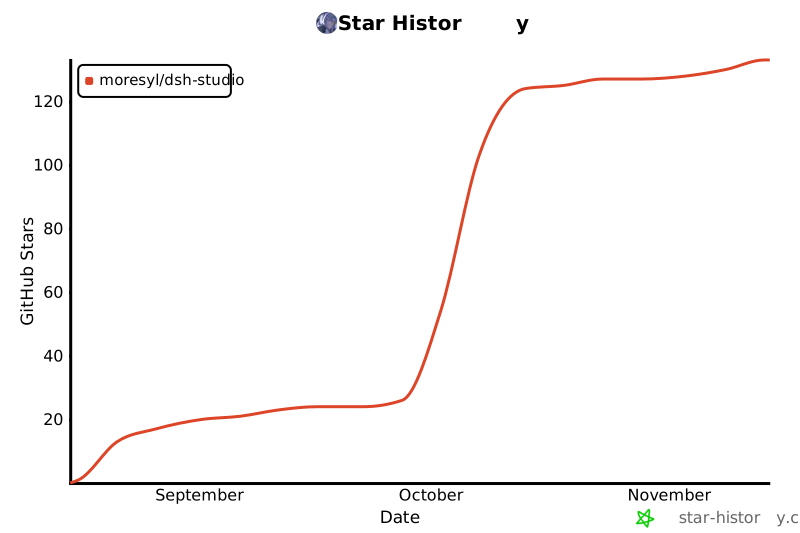](https://www.star-history.com/#Moresyl/dsh-studio&Date)
## License
[MIT](LICENSE).
DSH Studio is an independent project. It is not affiliated with or endorsed by
DeepSeek.
历史前置条件说明(补充参考)
运行 Harness 需要 Node.js 22.19 或更新版本(应用可代为下载并校验);Windows 10/11 需要 WebView2(Windows 11 默认自带);源码构建需 pnpm 与 Rust/Tauri 工具链。模型与 API Key 由上游 DeepSeek Harness 决定,本项目未说明,待核验。费用与国内网络可用性待核验。
项目来源与清单版权许可
https://github.com/Moresyl/dsh-studio
整理来源:https://github.com/slavakurilyak/awesome-ai-agents
清单版权与许可:
MIT License
Copyright (c) 2024 Slava Kurilyak
Permission is hereby granted, free of charge, to any person obtaining a copy of this software and associated documentation files (the "Software"), to deal in the Software without restriction, including without limitation the rights to use, copy, modify, merge, publish, distribute, sublicense, and/or sell copies of the Software, and to permit persons to whom the Software is furnished to do so, subject to the following conditions:
The above copyright notice and this permission notice shall be included in all copies or substantial portions of the Software.
THE SOFTWARE IS PROVIDED "AS IS", WITHOUT WARRANTY OF ANY KIND, EXPRESS OR IMPLIED, INCLUDING BUT NOT LIMITED TO THE WARRANTIES OF MERCHANTABILITY, FITNESS FOR A PARTICULAR PURPOSE AND NONINFRINGEMENT. IN NO EVENT SHALL THE AUTHORS OR COPYRIGHT HOLDERS BE LIABLE FOR ANY CLAIM, DAMAGES OR OTHER LIABILITY, WHETHER IN AN ACTION OF CONTRACT, TORT OR OTHERWISE, ARISING FROM, OUT OF OR IN CONNECTION WITH THE SOFTWARE OR THE USE OR OTHER DEALINGS IN THE SOFTWARE.